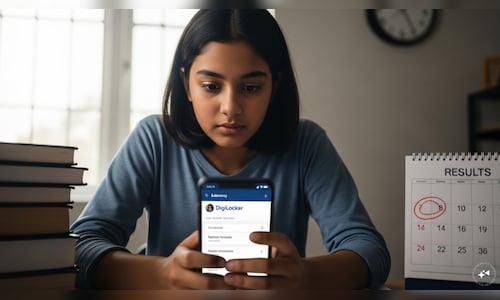

Students are being advised to keep their details ready and set up access in advance so they can check their results without any delay once they are declared.
DigiLocker asks students to stay prepared
DigiLocker has issued an advisory asking students not to wait until the last moment. It has urged them to create and activate their accounts early for quick access to marksheets.
The platform said on X, “CBSE Class 10 results coming soon. Don’t wait till the result day, set up your DigiLocker account now and stay ready. Students without an APAAR ID need to create their account. Students with an APAAR ID linked to CBSE will receive their mark sheets in DigiLocker’s ‘Issued Documents’ section.”
Don’t wait till result day-set up your DigiLocker account now and stay ready.
????https://t.co/pSvg3mGnPS???? Note:
Students without an APAAR ID need to create their account.
Students with an APAAR ID linked to CBSE will receive their mark sheets in DigiLocker’s Issued Documents… pic.twitter.com/f42lxNlGVF— DigiLocker (@digilocker_ind) April 13, 2026
Students with their APAAR ID already linked to CBSE will receive their digital marksheets directly. Others will need to create an account using the access code provided by their school.
Steps to create a DigiLocker account
– To begin, students need to visit the CBSE DigiLocker services website cbseservices.digilocker.gov.in and click on “Get Started With Account Confirmation.”
– They must then enter the required details along with the school-provided access code.
– After verifying their mobile number through an OTP, the account can be activated.
– Once the results are announced, marksheets and certificates will be available for download on DigiLocker.
Multiple ways to check results
Apart from DigiLocker, students can also check their results on official websites such as cbse.gov.in, results.nic.in, results.digilocker.gov.in and umang.gov.in. They will need details like roll number, school number, admit card ID, date of birth, and security pin.
Steps to check CBSE Class 10 result 2026 via UMANG App
– First, open the app on your phone and log in using your mobile number.
– Then search for the ‘CBSE’ section and go to the ‘Education’ category on the screen.
– Click on the CBSE board option and then again click on the ‘Class 10 result’ link.
– As a new window opens, enter the required credentials.
– Finally, click on ‘Submit’ to view your result.
Check CBSE Class 10 result 2026 through SMS
Students can also use SMS services by typing ‘CBSE10’” and sending it to 7738299899 to receive their result on their phone.
This year, the exams were conducted from February 17 to March 11, and an early result announcement is expected as the next phase of board exams is scheduled to begin in May.